Internet Optimizer
Brief:
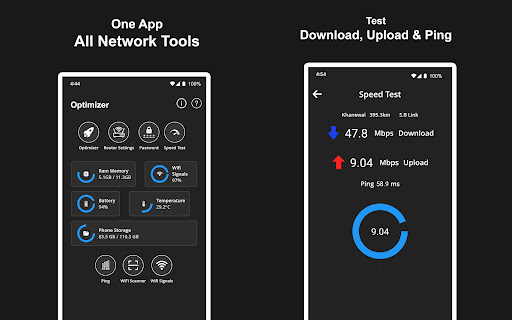
Internet Optimizer is a comprehensive toolkit designed to manage, analyze, and enhance your internet connection. Whether you're battling unstable ping, experiencing slow browsing, or facing lag during gaming sessions, this app equips you with the essential tools to gain control over your network and WiFi performance.
📌 Core Features:
- Internet Optimization: Stabilize your connection and reduce interruptions with precise speed tests for both internet and WiFi, ensuring better browsing and download speeds. 🚀
- Ping & DNS Utility Tools: Execute network checks using ping tests, configure advanced DNS settings, and enjoy smoother gaming with low ping checks. 🔧
- WiFi Access and Router Configuration: Easily access router settings, retrieve WiFi credentials, and manage all your WiFi configurations securely. 🔐
- Network Monitoring: Analyze your wireless network with advanced tools to detect connected devices and view detailed signal activity for better understanding. 📡
- Network Health Monitoring and Diagnostics: Track real-time internet usage, perform comprehensive diagnostics, and ensure reliable connection performance. 🩺
👍 Pros:
- Comprehensive set of tools for a variety of internet management tasks. ✅
- User-friendly interface for effective network troubleshooting. 🎨
- Accurate speed testing enables better evaluation of internet performance. 📈
- Tools tailored for both casual users and gamers to improve experience. 🎮
- Regular updates enhance functionality and user experience. 🔄
👎 Cons:
- Some advanced features may require a bit of a learning curve for first-time users. 📖
- Occasional ads might interrupt the user experience. 📢
- The app may not work well on all types of devices, impacting accessibility. 📱
- Limited features in the free version compared to premium offerings. 💔
💵 Price:
The app is free to download, but it may include in-app purchases for premium features.